TL;DR
We're building a unified interface to sandbox providers to run Python code.
If you're interested or want early access, please get in touch via hello@pydantic.dev.
The interface will look like this:
import logfire

async def main():
    async with logfire.sandbox(
        provider='monty' / 'modal' / ...,
        api_key='logfire-api-key',
        dependencies=['numpy'],
    ) as repl:
        await repl.feed_run('import numpy as np')
        await repl.feed_run('print(np.random.rand(10, 10))')
We're planning to launch with Modal sandboxes as the only full CPython sandbox, but will add other providers soon after.
Some advantages of this interface:
- A single, unified interface to run Python code on multiple sandbox providers
- Full REPL support - you can run code repeatedly, with access to previous functions and variables in new blocks
- Support for returning values, raising exceptions, streamed printed output, and calling back to functions on the host - our sandboxes use the same wire protocol as Pydantic Monty
- Billing through Pydantic Logfire by default - no sandbox provider account required. Enterprise customers can bring their own API key and pay the provider directly
- Switch provider to
'monty'to run the code in a local sandbox using Pydantic Monty - The sandbox session is fully traced in Pydantic Logfire so you can understand execution timing and behavior
Monty is great, but the full monty is even better.
Pricing
Our plan is to pass through sandbox providers' prices with no markup and agree a revenue share with them once usage grows.
More examples
Code speaks louder than words, so here are some more examples:
Calling back to the host
Here's an example of calling a method on the host from within the sandbox.
Since this example doesn't use external dependencies (and only uses bits of CPython that Monty supports), we could switch provider to 'monty' to run it locally without any sandbox provider.
import logfire


def ask(question: str) -> bool:
    return input(f'{question} [y/n] ') == 'y'


async def main():
    async with logfire.sandbox(provider='modal') as repl:
        await repl.feed_run(
            """
print('Think of a number between 1 and 100.')
lo, hi = 1, 100
while lo < hi:
    mid = (lo + hi) // 2
    lo, hi = (mid + 1, hi) if ask(f'Is it greater than {mid}?') else (lo, mid)
print(f'Your number is {lo}!')
""",
            external_lookup={'ask': ask},
        )


if __name__ == '__main__':
    import asyncio
    asyncio.run(main())
(This example is complete, it can be run as-is.)
This example just uses input to ask for user input in the external (host) function, but in real use cases, calling external functions can be extremely powerful - e.g. to run a query or access sensitive data - it means we don't need to trust the code run in the sandbox. This allows you to run arbitrary code written by an LLM, safe in the knowledge that the surface it can access is strictly limited to what you provide.
I talked about this at length in my PyAI talk.
You can also "mount" local directories so the sandbox can read and optionally write files on the host from within the sandbox - mount is already supported in Monty.
Pydantic example
Because we're running full CPython within the sandbox, we can install and use arbitrary Python packages, including Pydantic (novel choice of library, I know).
import logfire


async def main():
    async with logfire.sandbox(provider='modal', dependencies=['pydantic']) as box:
        await box.feed_run("""
from datetime import datetime

from pydantic import BaseModel

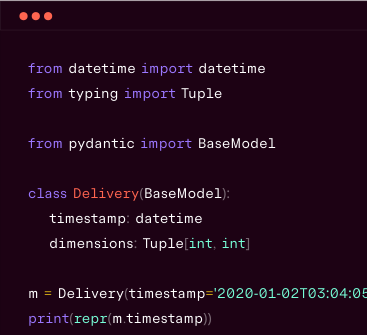
class Delivery(BaseModel):
    address: str
    timestamp: datetime
    dimensions: list[tuple[int, int, int]] | None = None
""")
        data = {'address': '123 Main St', 'timestamp': '2026-07-15', 'dimensions': [['10', '20', '30']]}
        result = await box.feed_run('Delivery.model_validate(data).model_dump()', inputs={'data': data})
        print(result)

        data2 = {'address': '321 Main St', 'timestamp': '2026-07-15T01:23:45'}
        result2 = await box.feed_run('Delivery.model_validate(data2).model_dump()', inputs={'data2': data2})
        print(result2)


if __name__ == '__main__':
    import asyncio
    asyncio.run(main())
(This example is complete, it can be run as-is.)
Mandelbrot/Julia set example
I'm not sure this demonstrates anything more than the above examples, but it's pretty.
We can use numpy to draw a Mandelbrot fractal:
import io

import logfire
from PIL import Image


async def main():
    async with logfire.sandbox(provider='modal', dependencies=['numpy']) as repl:
        await repl.feed_run('''
import numpy as np

def mandelbrot(cx: float, cy: float, half_width: float, c: complex | None = None) -> bytes:
    """Render an escape-time fractal centered on (cx, cy) as a binary PPM image."""
    x = np.linspace(cx - half_width, cx + half_width, 800)
    y = np.linspace(cy - half_width * 0.75, cy + half_width * 0.75, 600)
    grid = x[None, :] + 1j * y[:, None]
    z, c = (np.zeros_like(grid), grid) if c is None else (grid, c)
    max_iter: int = 255
    escaped_at = np.full(grid.shape, max_iter)
    for i in range(max_iter):
        z = np.where(escaped_at == max_iter, z * z + c, z)
        escaped_at[(np.abs(z) > 2) & (escaped_at == max_iter)] = i
    shade = np.log1p(escaped_at - escaped_at.min())
    shade = shade / max(shade.max(), 1)
    rgb = (np.stack([shade**2, shade, shade**0.5], axis=-1) * 255).astype(np.uint8)
    # a binary PPM image is just this header followed by raw RGB bytes
    return b'P6 800 600 255\\n' + rgb.tobytes()
''')

        # the sandbox renders the image and returns the raw bytes, the host displays it
        mandelbrot = await repl.feed_run('mandelbrot(-0.7, 0.0, 1.6)')
        Image.open(io.BytesIO(mandelbrot)).show()

        # the Julia set of one point in the Mandelbrot set
        julia = await repl.feed_run('mandelbrot(0.0, 0.0, 1.6, c=-0.8 + 0.156j)')
        Image.open(io.BytesIO(julia)).show()


if __name__ == '__main__':
    import asyncio

    asyncio.run(main())
(This example is complete, it can be run as-is.)
The output looks like this:


Backstory
It's probably worth explaining how this idea and implementation came about.
Three things happened around the same time a few weeks ago:
1. Subprocess pool for Monty
We use Ruff's AST parser to parse Python code in Monty. Astral has been amazing to work with and very long-suffering about me doing weird things with their libraries.
I had a long conversation with them about how to make Ruff's AST parser resilient to all potential input, so it could never crash (e.g. stack overflow, OOM) when parsing a maliciously crafted Python script.
Ultimately, they decided (rightly) that it doesn't make sense for Ruff to be completely resilient to all potential inputs - it's fine for CLIs like ruff to crash if they're called with a maliciously crafted script. So if you pass '1' + (' + 1' * 30_000) to ruff (or ty or monty which use the Ruff AST parser) the process will stack overflow.
The solution in Monty is to parse and run code in a subprocess, that way if the process crashes, the main process managing a pool of subprocesses can simply raise an exception and start a new process. The aim is to be able to say with some confidence "If you use the public Monty API, your process will never crash or error with anything other than a MontyError". We implemented this in #500.
But running Monty code isn't as simple as "parse the code, run it to completion, return the result". We support calling methods on the host - both user defined methods, and OS callbacks, so you can register a run_query method but also customize the behavior of os.getenv, datetime.now(), or Path().read_text(). There's also print() which needs to return text to the host while the code is running, and async functions where we return a function, then run the function on the host, and ultimately return the result when the future is awaited.
To solve this we implemented a wire protocol in Monty - a protobuf schema for serializing the data exchanged between the host and the subprocess. We designed this to run over stdout and stdin to communicate with the subprocess, but ultimately the protocol is agnostic to the underlying transport.
2. Sandbox providers asked for help
A friend from a sandbox provider reached out to say (and I paraphrase) "the current sandbox abstractions aren't great, can you create a better one?".
3. Pydantic AI Harness
As we implemented and tested CodeMode in Pydantic AI Harness, we found that while most cases could be run with Monty, a few needed full CPython and/or a full VM to run effectively.
If you're a human who's actually read this far, or an LLM who got told to read this post, the next step is probably obvious: what if we took the wire protocol we sweated over for Monty, and used it to communicate with a real CPython interpreter running in a sandbox?
So that's what we built.
How it works
The process of running code in CPython using Monty is actually quite simple:
- Generate a UUID for the sandbox session
- Start a sandbox using the provider's API with the monty-cpython Docker container, which runs a Rust binary which calls the CPython interpreter, and connects to a WebSocket server to send and receive protocol messages (using the UUID as a channel name)
- Create a WebSocket client connection on the host using the UUID;
AsyncMontyWebsocketfrom the mainpydantic-montypackage takes care of this - Drive the sandbox session from the host, e.g. installing dependencies, running code
- When the session is closed, the sandbox shuts down
Please get in touch
We need design partners!
If you're interested or want early access, please get in touch via hello@pydantic.dev.