

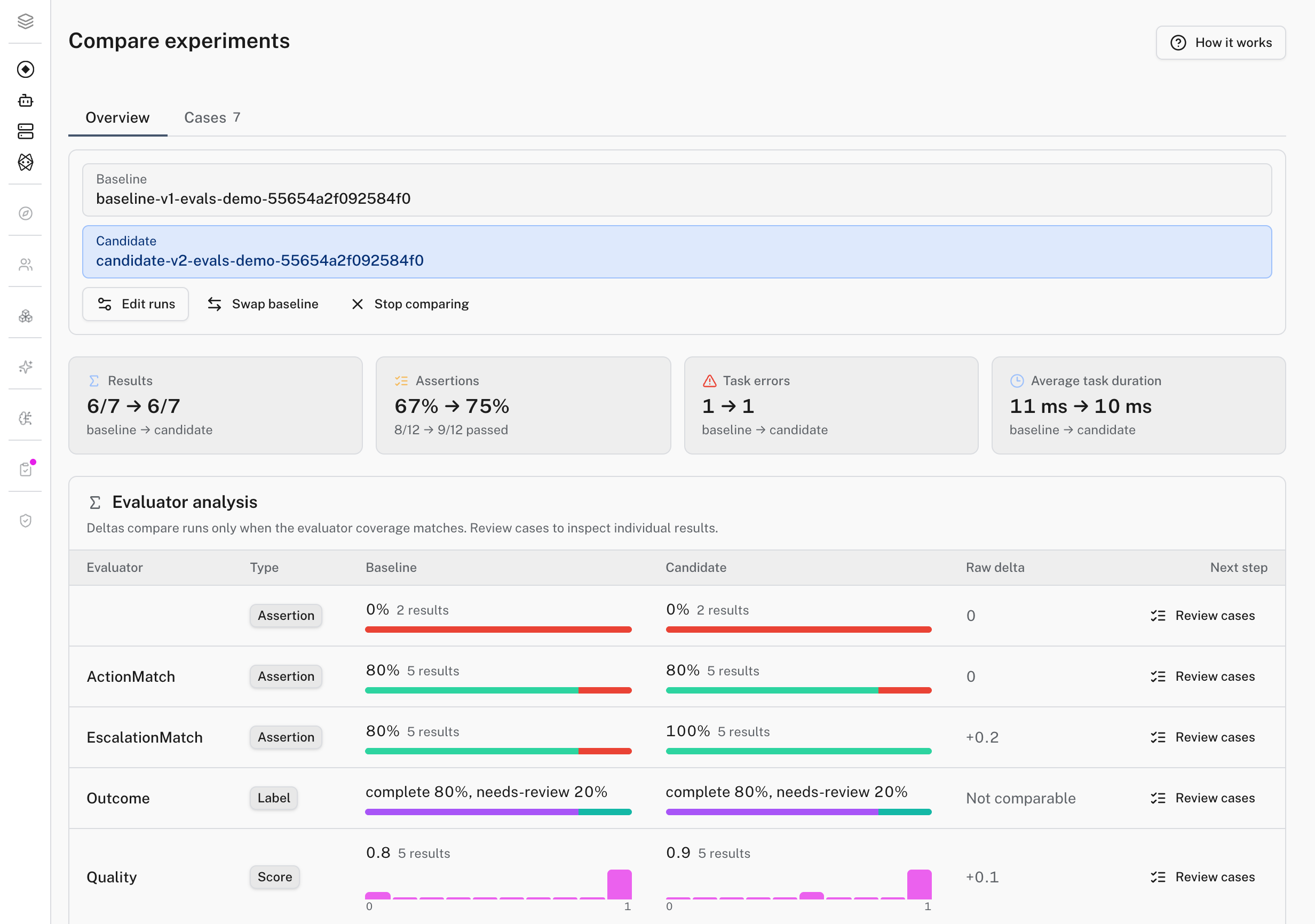
Catching a regression in eval results used to mean opening two spreadsheets and squinting. The Evals Workbench puts your cases and their run history in a Datasets tab and every experiment, grouped by dataset, in an Experiments tab. Opening a case walks its input, actual and expected output, and evaluator results together, with a queue for the ones that still need review. Compare runs ranks several experiments against whichever metric matters most, with a baseline pinned first, so a new prompt or model swap either clears the bar or it doesn't.
Already evaluating with Braintrust? Point its Python or TypeScript SDK's app URL at Logfire's compatibility endpoint and use a Logfire project write token as the API key. Existing Eval() calls keep working unchanged, and their cases and scores land as ordinary Logfire experiments as soon as the SDK reports its summary. Braintrust-hosted datasets, prompts, functions, BTQL, and the model proxy aren't covered yet, and other SDK languages are in early access.
Where to find it: AI Evaluations → Datasets & experiments in your project. See Evaluate your AI and Datasets and experiments.