Public Traces
Public Traces lets you to create shareable links for specific traces. Perfect for collaborating with anyone who doesn’t have Logfire access, or sharing debugging information.
When you create a public trace link, anyone with access to the link can view the complete trace data, including all spans and their attributes. This is particularly useful for:
- Sharing debugging information with external collaborators
- Providing trace examples in support tickets
- Collaborating across teams without granting full project access
- Navigate to any trace in your project
- Select the inner span you want to highlight (optional)
- In the details panel, click the Private button
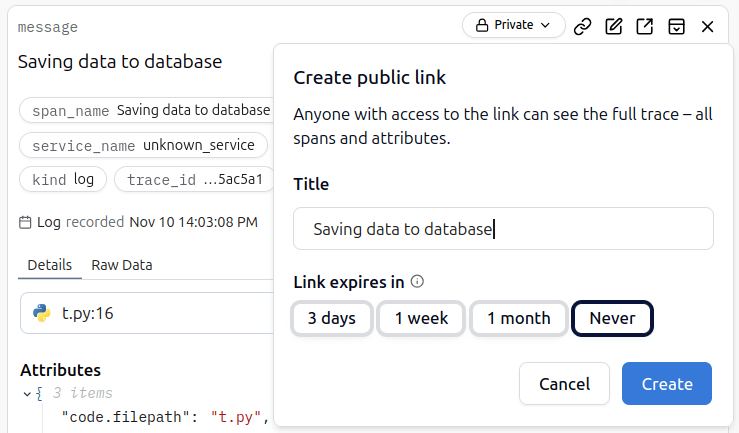
- Configure the link expiration
- Click Create to generate the shareable link
All public trace links are managed in the Shared Traces section under Project Settings. From here you can:
- View all active public links with their trace/span IDs
- See creation dates and expiration times
- Copy existing public links
- Delete public links when no longer needed
- Public traces are accessible to anyone with the link
- Consider the sensitivity of the data before creating public links
- Use appropriate expiration times to limit exposure
- Regularly review and clean up unused public links