Instrument Anthropic: see every Claude call your app makes
See every call your app makes to Anthropic’s Claude models: the full conversation, each tool call, how many tokens (the units a model reads and bills by, a few characters of text each) it used, how long it took, and any errors, as a trace (the full journey of one request or agent run, made of nested spans, where each span is one unit of work with a name, a start, and a duration) in Logfire.
- Each model call as a span, with its duration and any exceptions
- The full conversation, rendered so you can read it like a transcript
- Response details, including the number of tokens used
- Streaming responses and tool calls, shown as spans in the trace
You’ll need a Logfire project. Open Add data in your project (top navigation) and follow the
setup for your language: it signs your machine in with logfire auth (a browser sign-in, no token
to copy) and, for production or other languages, creates a write token (the credential your app
uses to send data). New to Logfire? Start with Getting Started.
You’ll also need an Anthropic API key, from your Anthropic console. The Anthropic SDK reads it from the ANTHROPIC_API_KEY environment variable.
Install logfire:
pip install logfire
uv add logfire
conda install -c conda-forge logfire
This integration works with your existing anthropic package: nothing extra to install. If you
don’t have it yet, pip install anthropic.
Add two lines to your app: logfire.configure() to connect to your project, and
logfire.instrument_anthropic() to record every Anthropic
call.
import anthropic

import logfire

client = anthropic.Anthropic()

logfire.configure()
logfire.instrument_anthropic()  # instrument all Anthropic clients globally
# or logfire.instrument_anthropic(client) to instrument a specific client instance

response = client.messages.create(
    max_tokens=1000,
    model='claude-haiku-4-5',
    system='You are a helpful assistant.',
    messages=[{'role': 'user', 'content': 'Please write me a limerick about Python logging.'}],
)
print(response.content[0].text)
With that you get:
- a span around the call to Anthropic which records duration and captures any exceptions that might occur
- human-readable display of the conversation with the model
- details of the response, including the number of tokens used
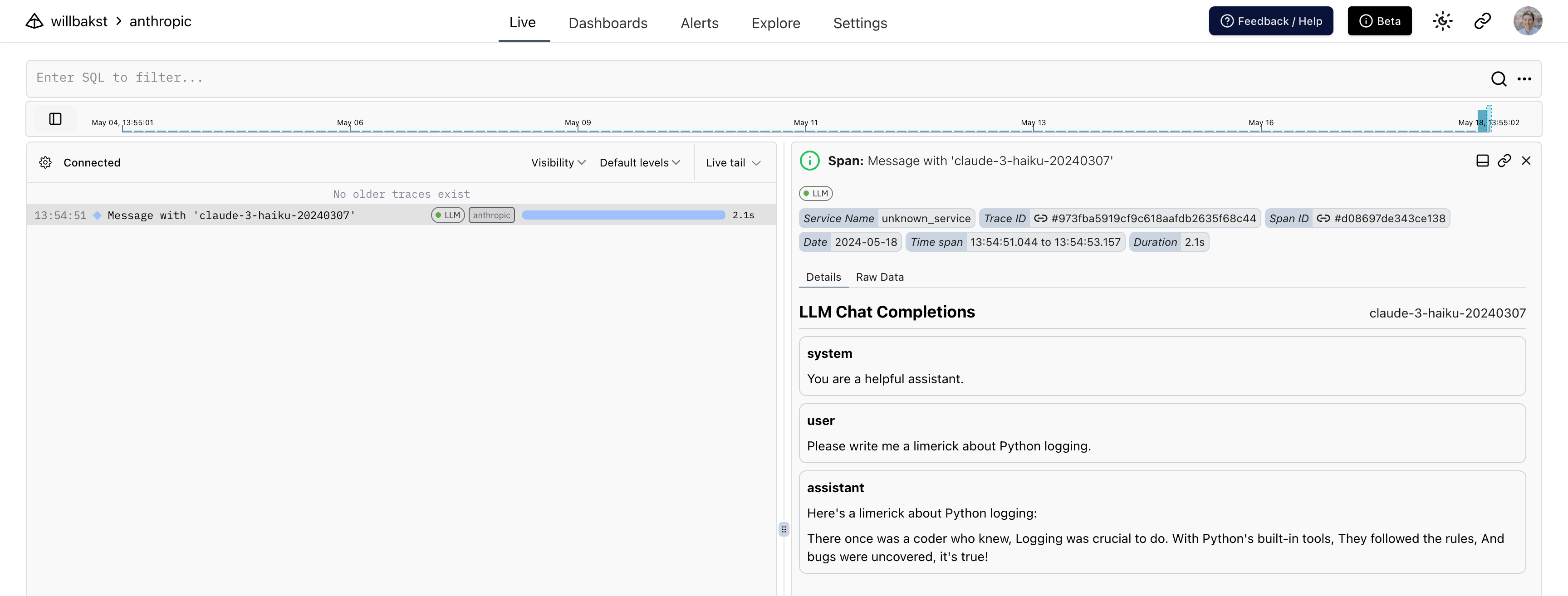
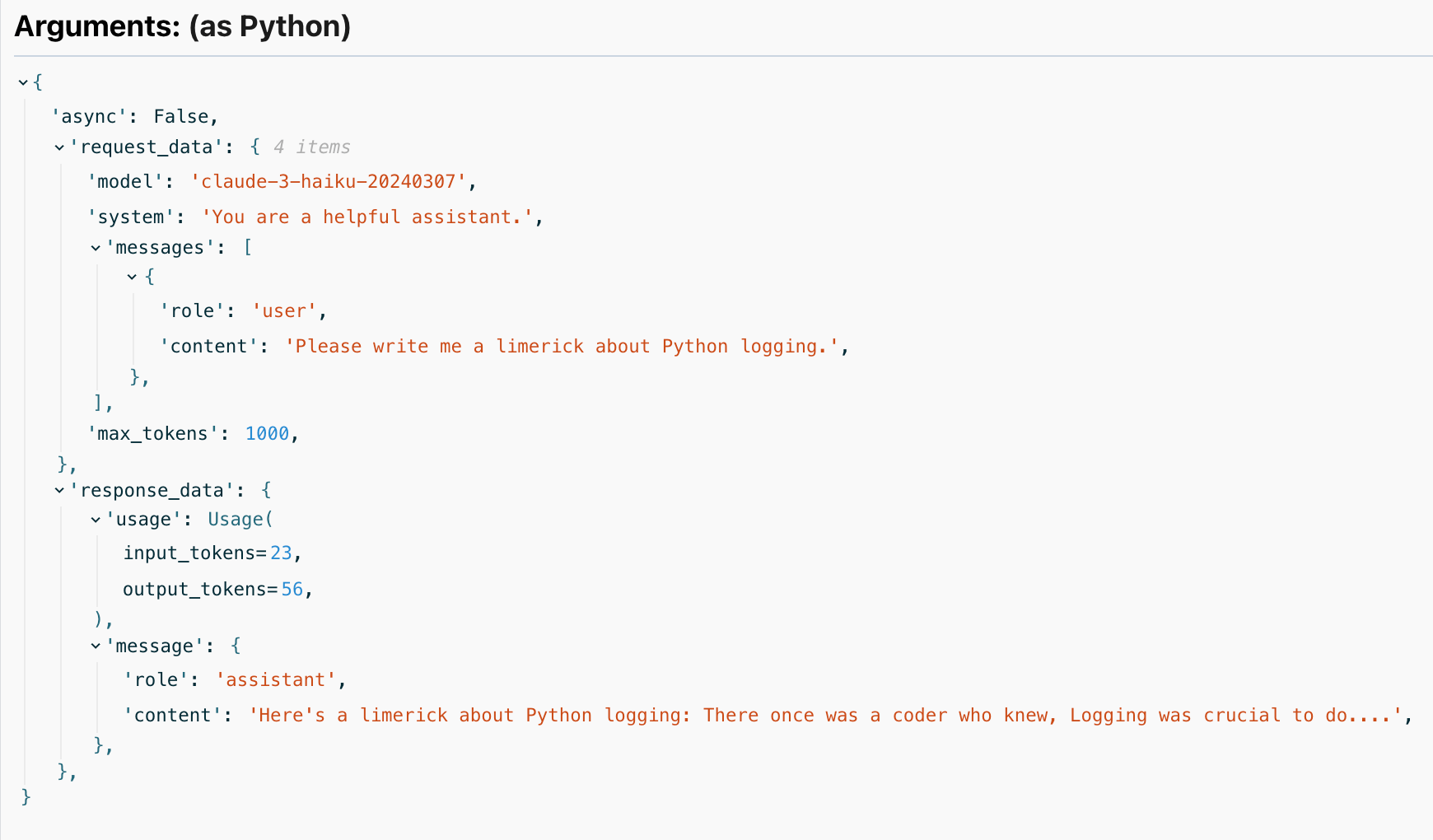
Run your program, then open your project in the Logfire web app and go to the Live view. Within a few seconds you should see a span for the Anthropic call. Click it to read the conversation and see the token count and duration.
Not seeing your model calls in Logfire? Check these first:
logfire.configure()runs beforelogfire.instrument_anthropic(). Configure the connection first, then instrument.- You instrument the client you actually call.
instrument_anthropic()with no argument covers all clients; if you pass a specific client, make sure it’s the one making the request. - Your Logfire write token is set. In local development, run
logfire projects use <your-project>; in production, set theLOGFIRE_TOKENenvironment variable. See Getting Started. - Your Anthropic call succeeded. If the call itself fails (for example, a missing or invalid
ANTHROPIC_API_KEY), check the span for the recorded exception.
Logfire uses semantic convention version 2 by default. If your queries or dashboards still depend
on the legacy request_data and response_data attributes, emit both formats while you migrate:
import logfire

logfire.configure()
logfire.instrument_anthropic(version=[1, 2])
The following Anthropic methods are covered:
All methods are covered with both anthropic.Anthropic and anthropic.AsyncAnthropic.
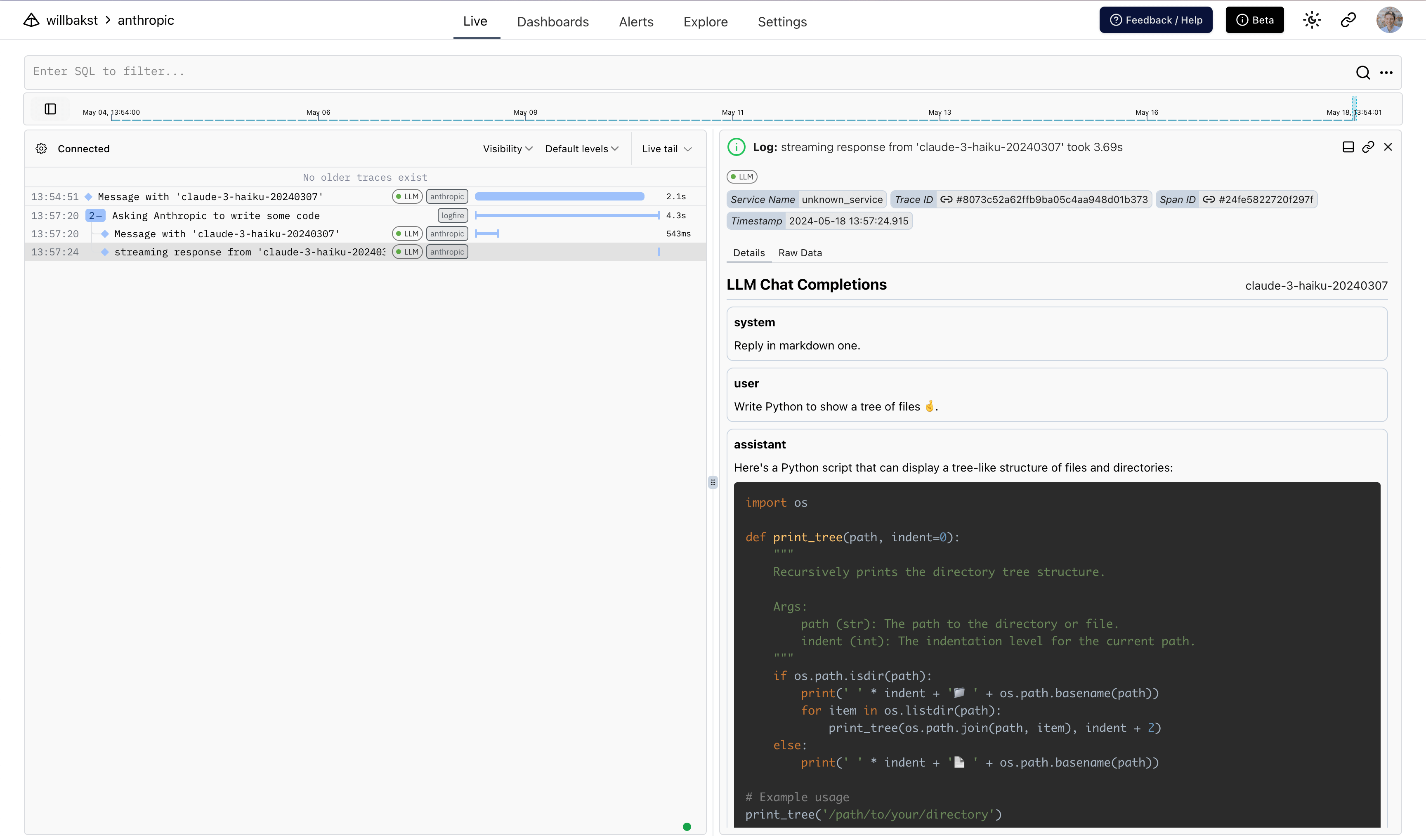
When instrumenting streaming responses, Logfire creates two spans: one around the initial request and one around the streamed response.
Here we also use Rich’s Live and Markdown types to
render the response in the terminal in real time.
import anthropic
from rich.console import Console
from rich.live import Live
from rich.markdown import Markdown

import logfire

client = anthropic.AsyncAnthropic()
logfire.configure()
logfire.instrument_anthropic(client)


async def main():
    console = Console()
    with logfire.span('Asking Anthropic to write some code'):
        response = client.messages.stream(
            max_tokens=1000,
            model='claude-haiku-4-5',
            system='Reply in markdown.',
            messages=[{'role': 'user', 'content': 'Write Python to show a tree of files.'}],
        )
        content = ''
        with Live('', refresh_per_second=15, console=console) as live:
            async with response as stream:
                async for chunk in stream:
                    if chunk.type == 'content_block_delta':
                        content += chunk.delta.text
                        live.update(Markdown(content))


if __name__ == '__main__':
    import asyncio

    asyncio.run(main())
Shows up like this in Logfire:
You can also log Claude model calls made through Amazon Bedrock using the AnthropicBedrock and
AsyncAnthropicBedrock clients.
import anthropic

import logfire

client = anthropic.AnthropicBedrock(
    aws_region='us-east-1',
    aws_access_key='access-key',
    aws_secret_key='secret-key',
)

logfire.configure()
logfire.instrument_anthropic(client)
- API reference:
logfire.instrument_anthropic()