Prompt Playground: Experiment with agent prompts
The Prompt Playground gives you the ability to experiment with an agent run and its different parts. It is mostly useful when you want to iterate on the system prompt, and see if you can get better results by tweaking it. Taking the following agent run as an example:
Clicking Open in Playground will redirect you to the Agent Playground, prefilled with the agent run data:
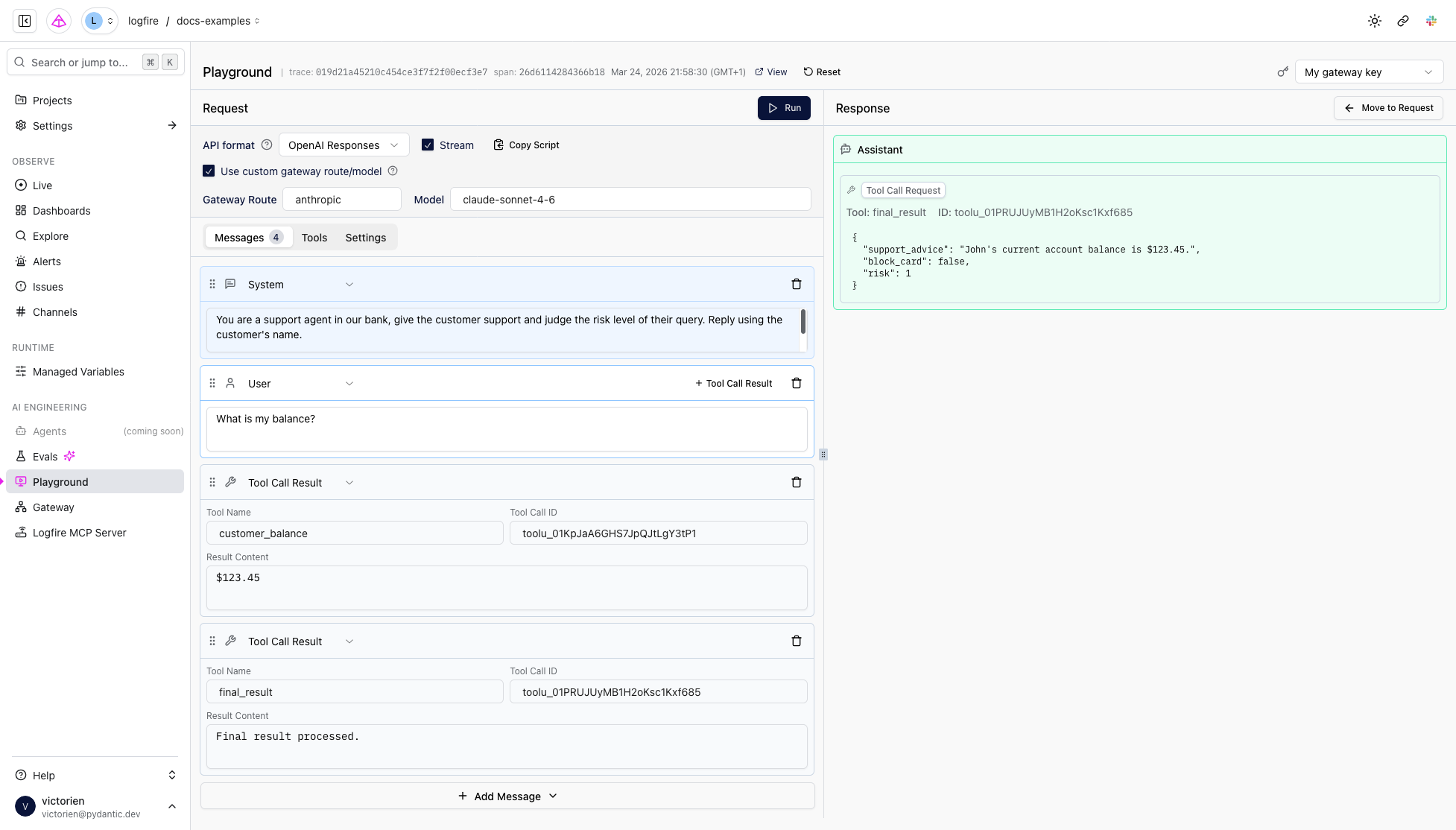
You can then modify parts of the captured run, such as the system prompt, user requests, tool calls, available tools, or model settings, and trigger another run to see the results.
You can also configure which tools are available as well as the model settings (for example, temperature).
The Prompt Playground is for exploratory iteration on a captured run. You tweak the system prompt, user messages, tool calls, or settings on that specific run and immediately re-execute it.
If you want a persistent prompt that your application imports from Logfire, use Prompt Management instead. Prompt Management stores prompt templates and versions, plus testing artifacts such as saved scenarios and run history.