Monitor services, dependencies, and operations
Use the Services view to find which services are busy, slow, or failing, then follow the signal to the operation or trace responsible.
A span is one unit of work: a single operation, with a name, a start, and a duration. A trace is the full journey of one request, made of nested spans. Logfire builds the Services view from the spans your project receives.
You’ll find Services near the top of the project sidebar, alongside Live and Agents.
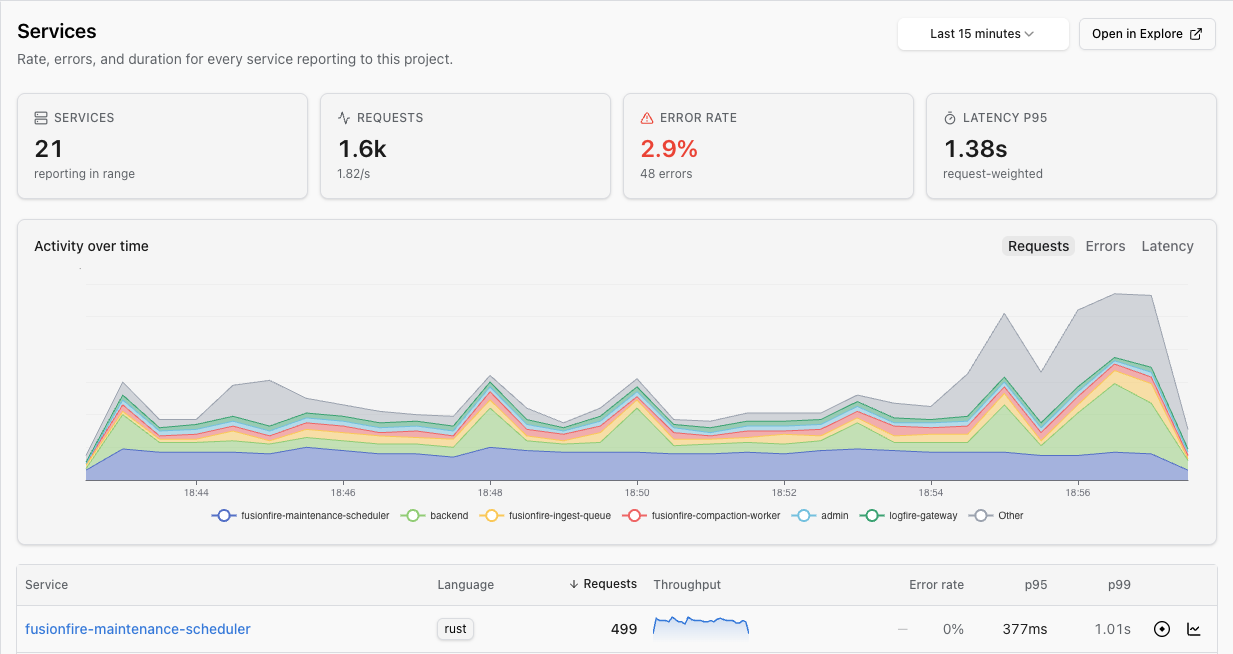
The inventory defaults to the last 15 minutes. Summary cards and the Activity over time chart show request volume, errors, and latency across your services. The table adds:
- Search by resource name, type, or badge.
- Sort by name, type, request count, error rate, or p95 latency. p95 and p99 mean the 95th- and 99th-percentile latency.
- Quick links to service details, Live View, and Explore.
- A Reliability column when reliability targets are available.
When the Databases or Queues toggle is available, you can include resources inferred from database and messaging spans. On narrow screens, rows become cards with the same key signals and separate sort controls.
Each resource type is limited to its 200 busiest entries in the selected range. Logfire displays a warning when results reach that limit.
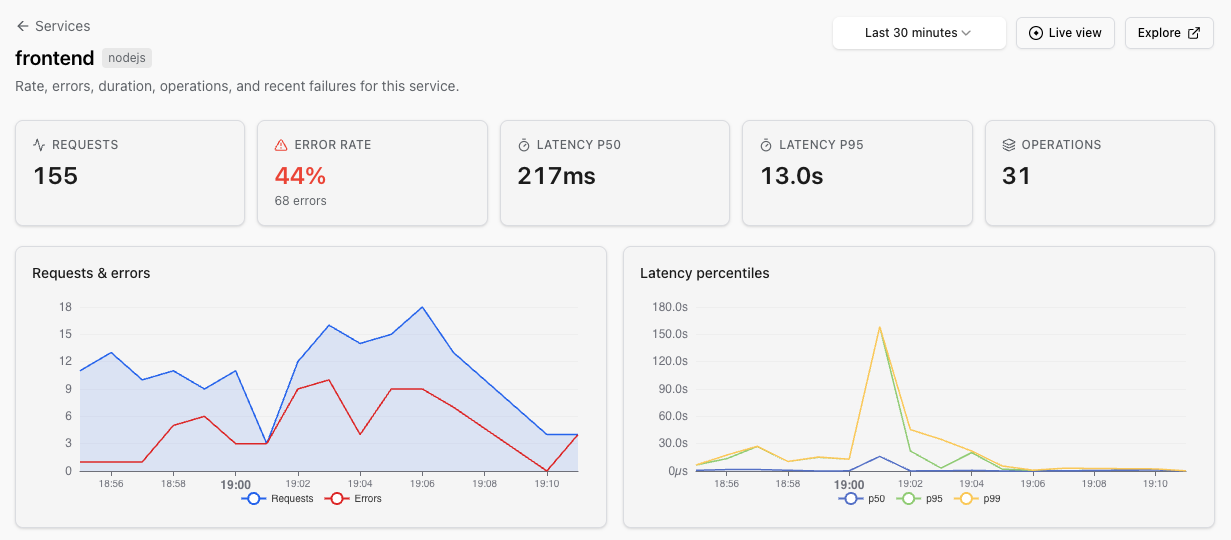
Select a service to open its detail page. It shows:
- Headline request, error-rate, median latency (p50), p95 latency, and operation-count cards.
- Request, error, and latency trends, with deployment markers when version data is available.
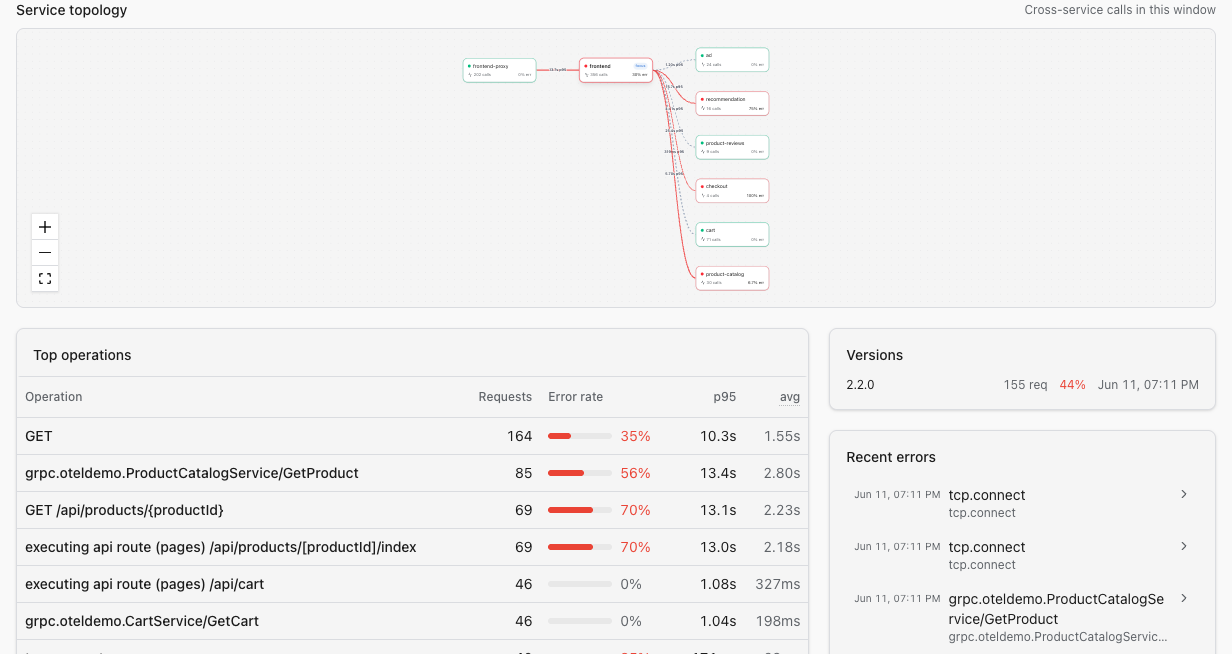
- Reliability targets, top operations, database dependencies, versions, and recent errors.
- Links that preserve the service filter in Live view and Explore.
The topology is a one-hop view centered on the selected service. Every edge represents spans that crossed a direct service boundary in the current time range.
Traffic on a neighboring node or edge includes only calls exchanged with the selected service, not that neighbor’s total traffic. The selected service shows its inbound error rate; neighboring nodes do not claim to summarize the health of the whole service.
Select a neighboring service to open its detail page.
OpenTelemetry (OTel) is the open industry standard for collecting traces, metrics, and logs. Logfire uses these OTel resource and span attributes:
| Attribute | What it does |
|---|---|
service.name | Groups spans into a named service row. Use a stable workload name such as cart, not a hostname or pod name. Without it, telemetry may appear under an unknown-service fallback. |
service.version | Adds versions and deployment markers to service details. |
deployment.environment.name | Lets you filter by environment. The older deployment.environment is also honored. |
telemetry.sdk.language | Sets the service’s type badge. OTel SDKs normally add it. |
db.system.name | Identifies a database. The older db.system is also honored. |
messaging.system | Identifies a queue or messaging system. |
Propagate trace context between workloads so Logfire can reconstruct service boundaries. The topology omits an edge when the relevant spans or parent context do not reach Logfire.
Requests is an approximate count of distinct traces that included the service. A trace that re-enters the service counts once. Errors estimates how many of those traces contained an error for that service. These probabilistic counts typically have 1 to 2% standard error.
Sampling means keeping a representative subset of telemetry instead of every event. Sampling before export affects inventory counts and can remove topology edges because this page describes the telemetry Logfire received.
Copy a write token from Project settings → Write tokens, then run:
pip install logfire
export LOGFIRE_TOKEN="your-write-token"
export OTEL_SERVICE_NAME=cart
python - <<'PY'
import logfire

logfire.configure(inspect_arguments=False)
with logfire.span("first cart request"):
    pass
PY
Refresh Services and expand the time range if needed. For FastAPI, Django, gRPC, OpenTelemetry Collector, and other integrations, see Integrate your application.
| Symptom | What to check |
|---|---|
| A service is missing | Confirm a span arrived in the selected time and environment range. If it appears as unknown_service, set a stable service.name. Also check whether the result reached the 200-service limit. |
| One service appears as two rows | Keep service.name identical across replicas with OTEL_SERVICE_NAME or the SDK’s service_name argument. |
| A topology edge is missing | Confirm both workloads use distinct service names, propagate trace context, and export the spans that cross the boundary. |