Logfire Onboarding: OpenTelemetry & Logging Setup
This step assumes you’ve already sent your first trace, which installs the SDK and calls
logfire.configure(). Here we integrate Logfire more fully with your application: the instrumentation packages for
the libraries you already use, and your existing logging.
Logfire works with any OpenTelemetry instrumentation package (a plug-in that automatically traces a specific library or framework), and includes a CLI command that highlights instrumentation your project is missing.
To inspect your project, run the following command:
logfire inspect
This lists the packages you need to install for OpenTelemetry instrumentation:
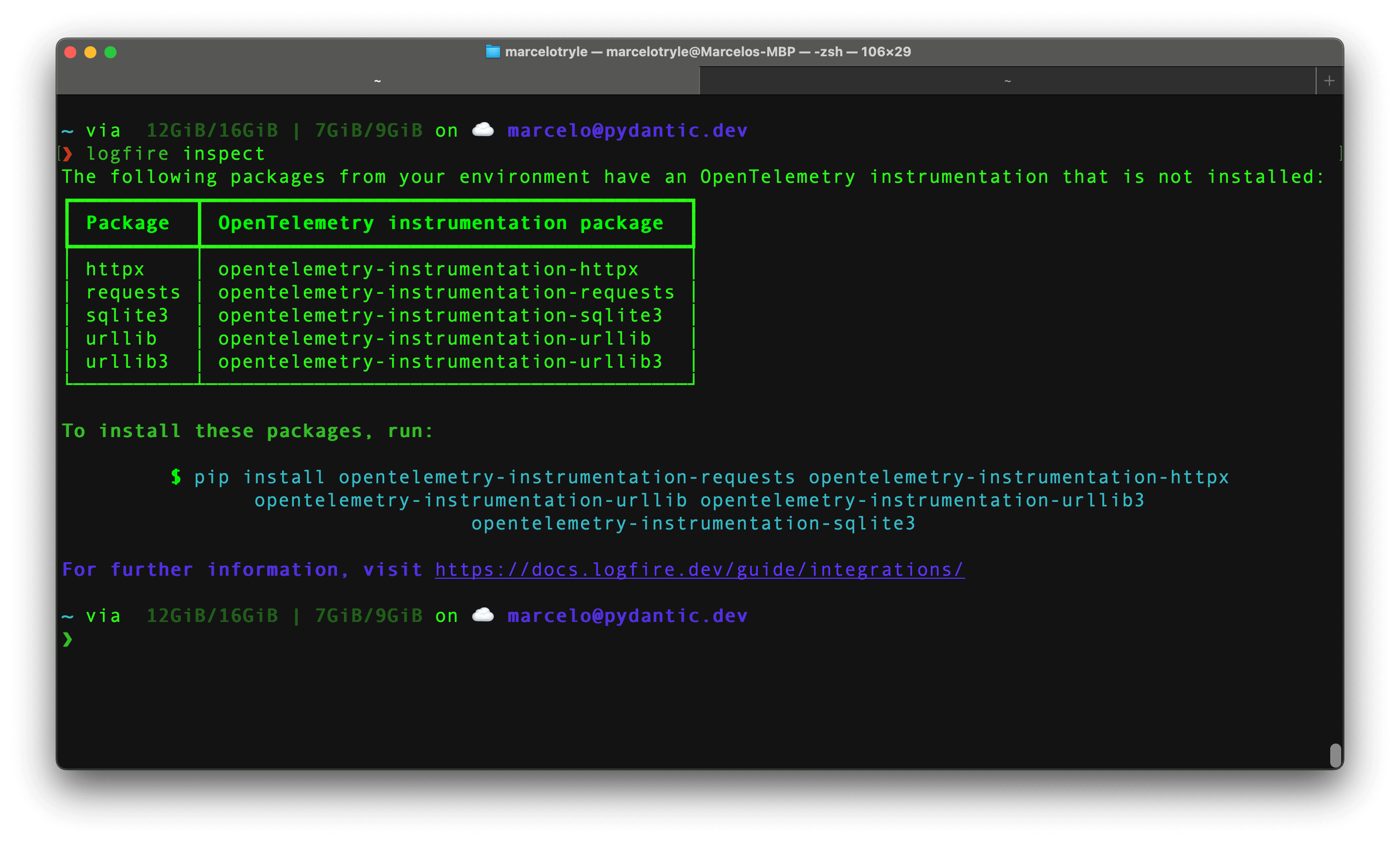
To install the missing packages, copy the command provided by the inspect command, and run it in your terminal.
Each instrumentation package has its own way to be configured. Check our Integrations page to learn how to configure them.
There are many logging systems within the Python ecosystem, and Logfire provides integrations for the most popular ones: Standard Library Logging, Loguru, and Structlog.
To integrate Logfire with the standard library logging module, you can use the
LogfireLoggingHandler class.
The minimal configuration would be the following:
from logging import basicConfig

import logfire

logfire.configure()
basicConfig(handlers=[logfire.LogfireLoggingHandler()])
Now imagine, that you have a logger in your application:
from logging import basicConfig, getLogger

import logfire

logfire.configure()
basicConfig(handlers=[logfire.LogfireLoggingHandler()])

logger = getLogger(__name__)
logger.error('Hello %s!', 'Fred')
If we run the above code, with python main.py, we will see the following output:
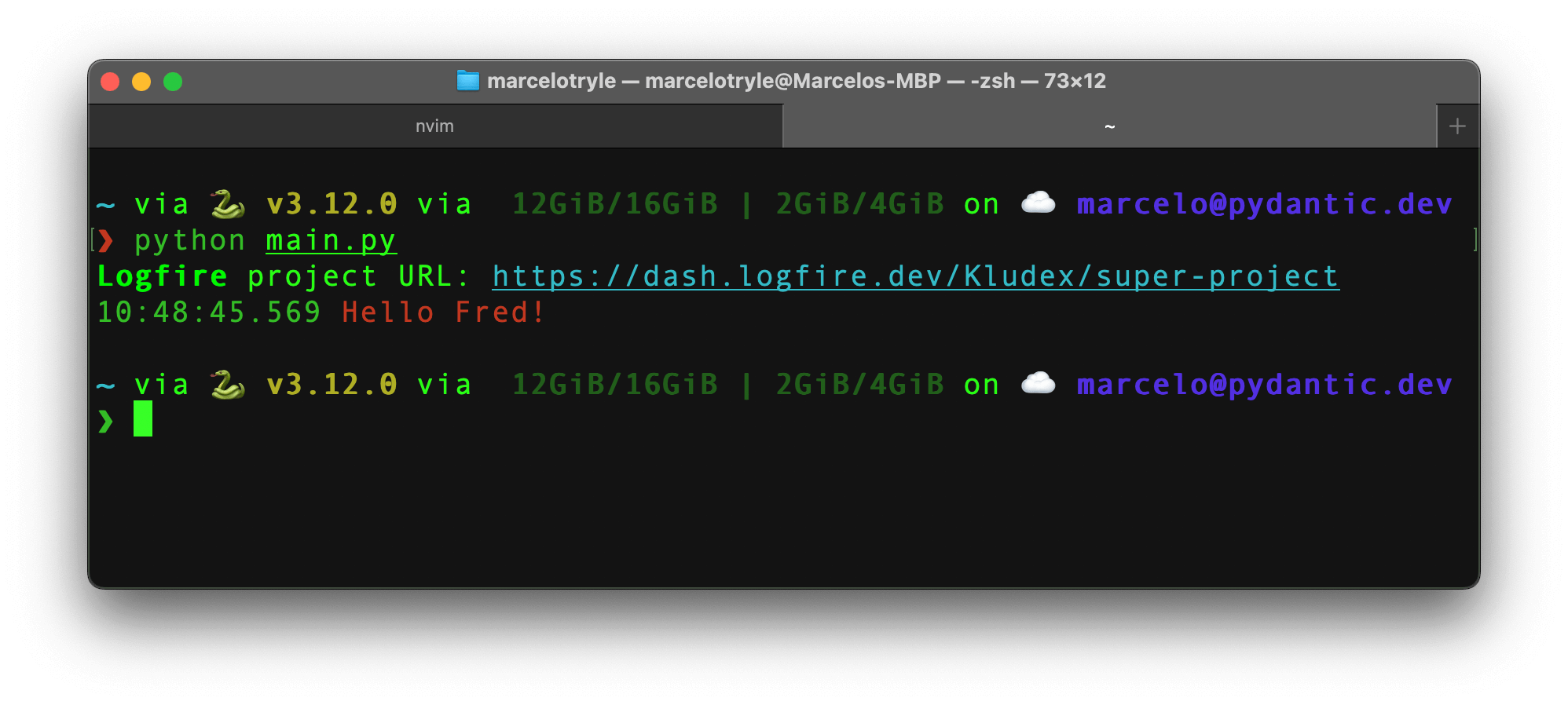
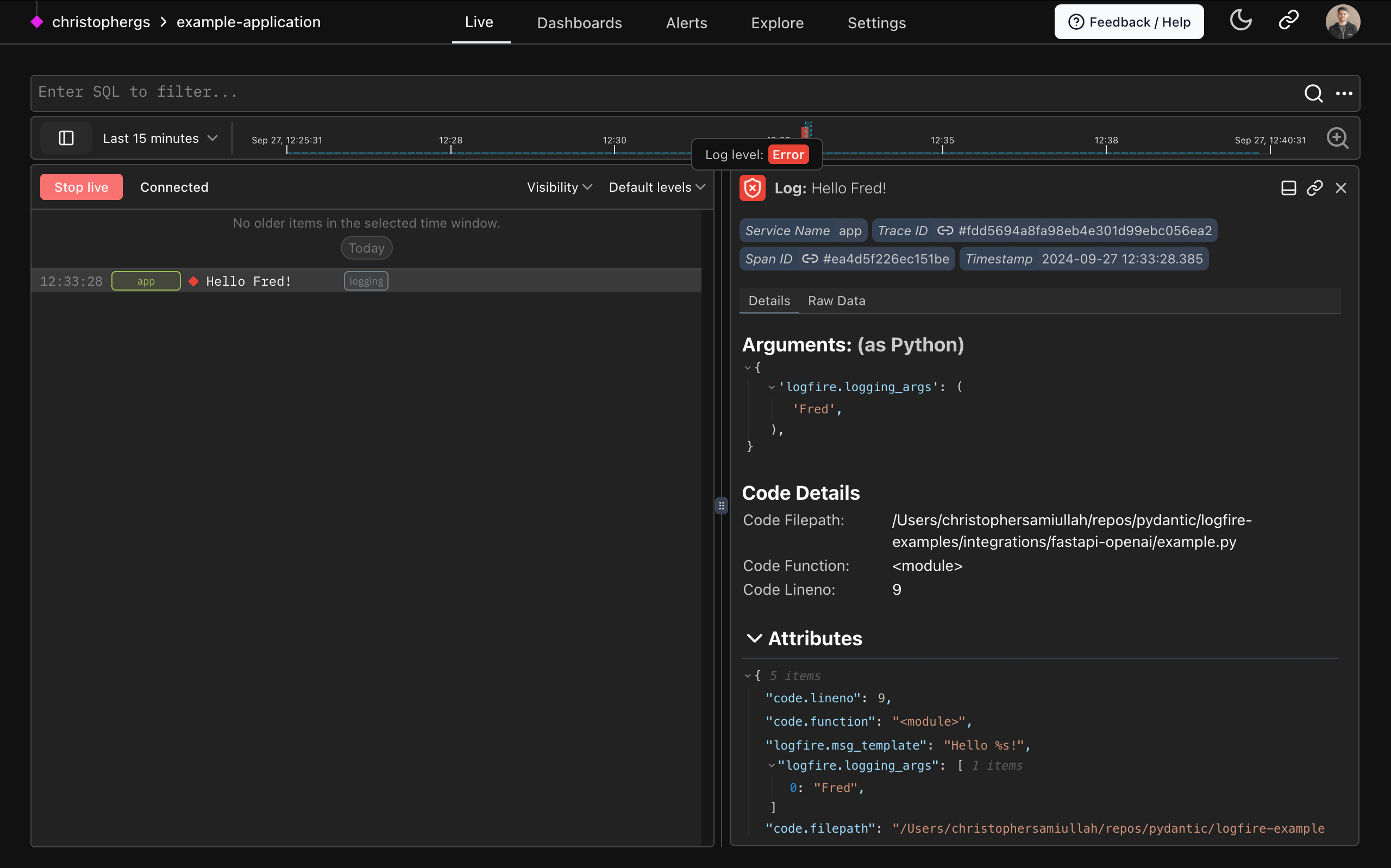
If you go to the link, you will see the "Hello Fred!" log in the Web UI:
To integrate with Loguru, check out the Loguru page.
To integrate with Structlog, check out the Structlog page.
Add manual tracing: create your own spans and logs to record exactly the operations you care about.