Instrument LiteLLM: see every model call your app makes
See every call your app makes through LiteLLM: the full conversation, how many tokens (the units a model reads and bills by, a few characters of text each) it used, how long it took, and any errors, as a trace (the full journey of one request or agent run, made of nested spans, where each span is one unit of work with a name, a start, and a duration) in Logfire. LiteLLM gives you one interface to many model providers, and this integration records every call regardless of which provider handles it.
- Each model call as a span, with its duration and any exceptions
- The full conversation between your app and the model
- Response details, including the number of tokens used
- The provider and model behind each call
You’ll need a Logfire project. Open Add data in your project (top navigation) and follow the
setup for your language: it signs your machine in with logfire auth (a browser sign-in, no token
to copy) and, for production or other languages, creates a write token (the credential your app
uses to send data). New to Logfire? Start with Getting Started.
You’ll also need an API key for whichever model provider you call (for example, OPENAI_API_KEY or ANTHROPIC_API_KEY). LiteLLM reads these from environment variables; see the LiteLLM provider docs for the variable each provider uses.
Install logfire with the litellm extra:
pip install 'logfire[litellm]'
uv add 'logfire[litellm]'
Add two lines to your app: logfire.configure() to connect to your project, and
logfire.instrument_litellm() to record every LiteLLM call.
import litellm

import logfire

logfire.configure()
logfire.instrument_litellm()

response = litellm.completion(
    model='gpt-5-mini',
    messages=[{'role': 'user', 'content': 'Hi'}],
)
print(response.choices[0].message.content)
#> Hello! How can I assist you today?
This creates a span which shows the conversation in the Logfire UI:
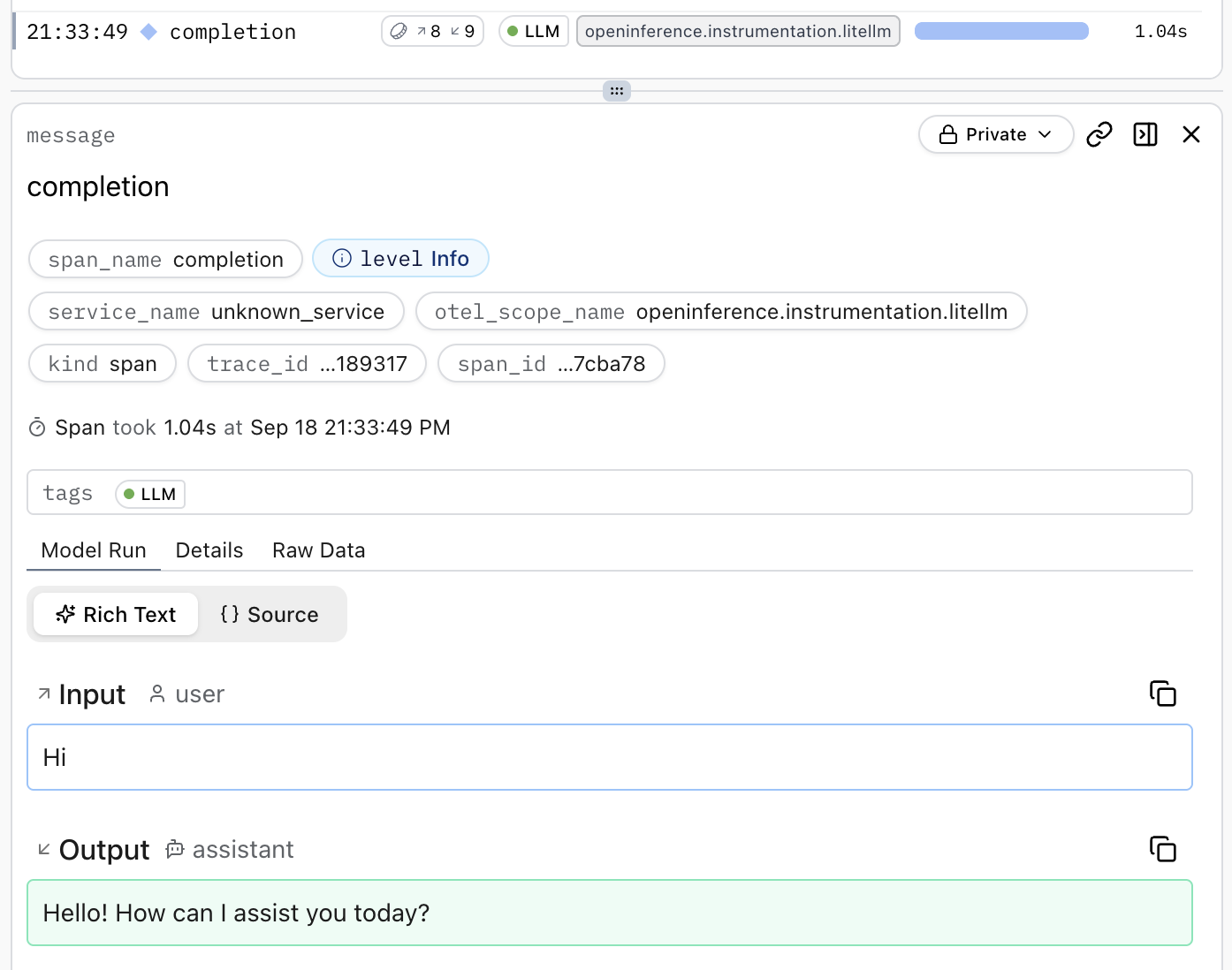
Run your program, then open your project in the Logfire web app and go to the Live view. Within a few seconds you should see a span for the LiteLLM call. Click it to read the conversation and see the token count and duration.
Not seeing your model calls in Logfire? Check these first:
logfire.configure()runs beforelogfire.instrument_litellm(). Configure the connection first, then instrument.- You called
instrument_litellm()exactly once. - You passed arguments as keywords, as noted in the warning above.
- Your Logfire write token is set. In local development, run
logfire projects use <your-project>; in production, set theLOGFIRE_TOKENenvironment variable. See Getting Started.
- API reference:
logfire.instrument_litellm() - Underlying OpenTelemetry package:
openinference-instrumentation-litellm